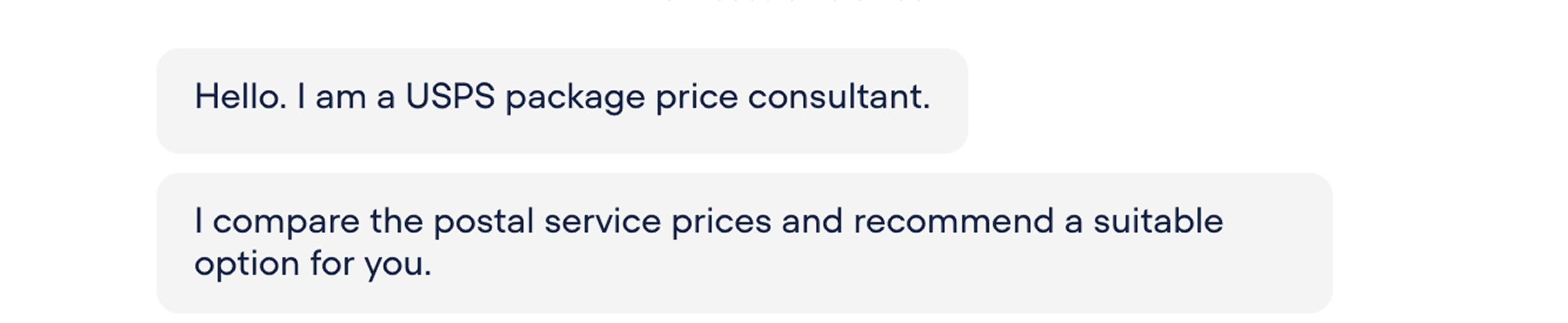
Explain Bot's Capabilities
The bot explains whet it does at the beginning.
A chatbot that helps users find suitable USPS services and estimate shipping costs for diverse package needs among complex USPS offerings
Problem
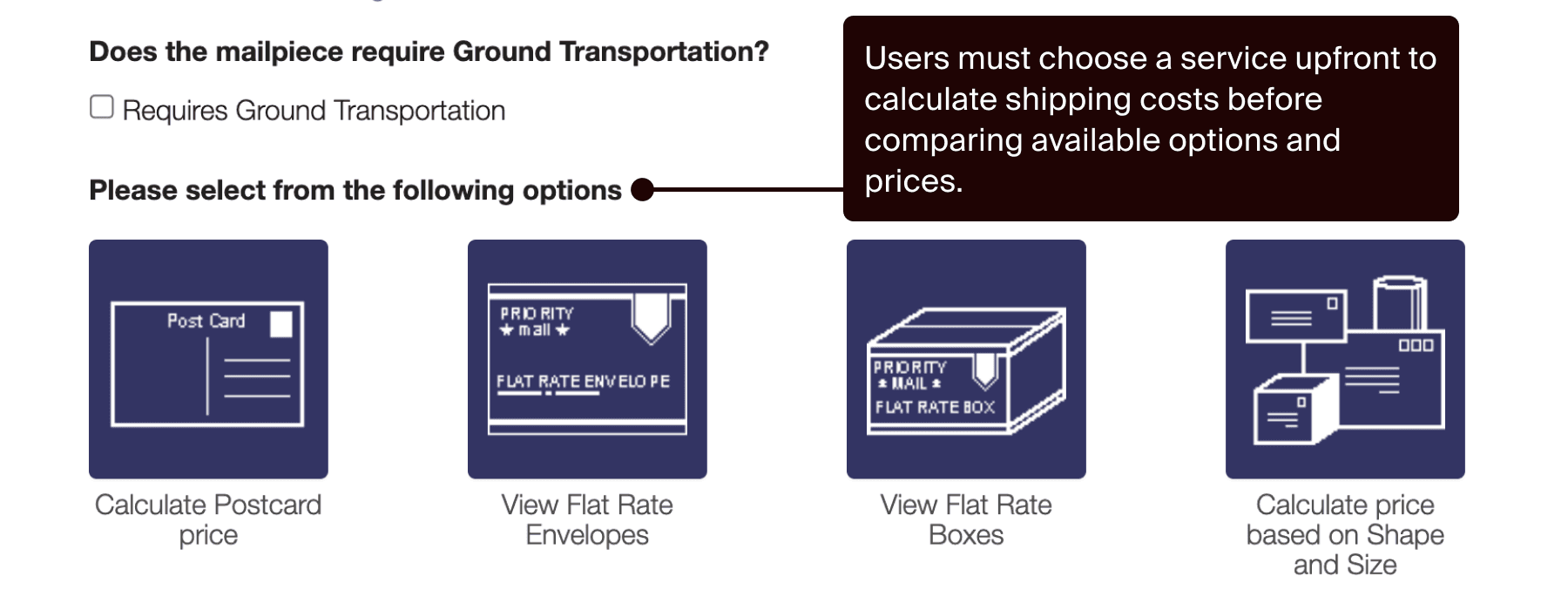
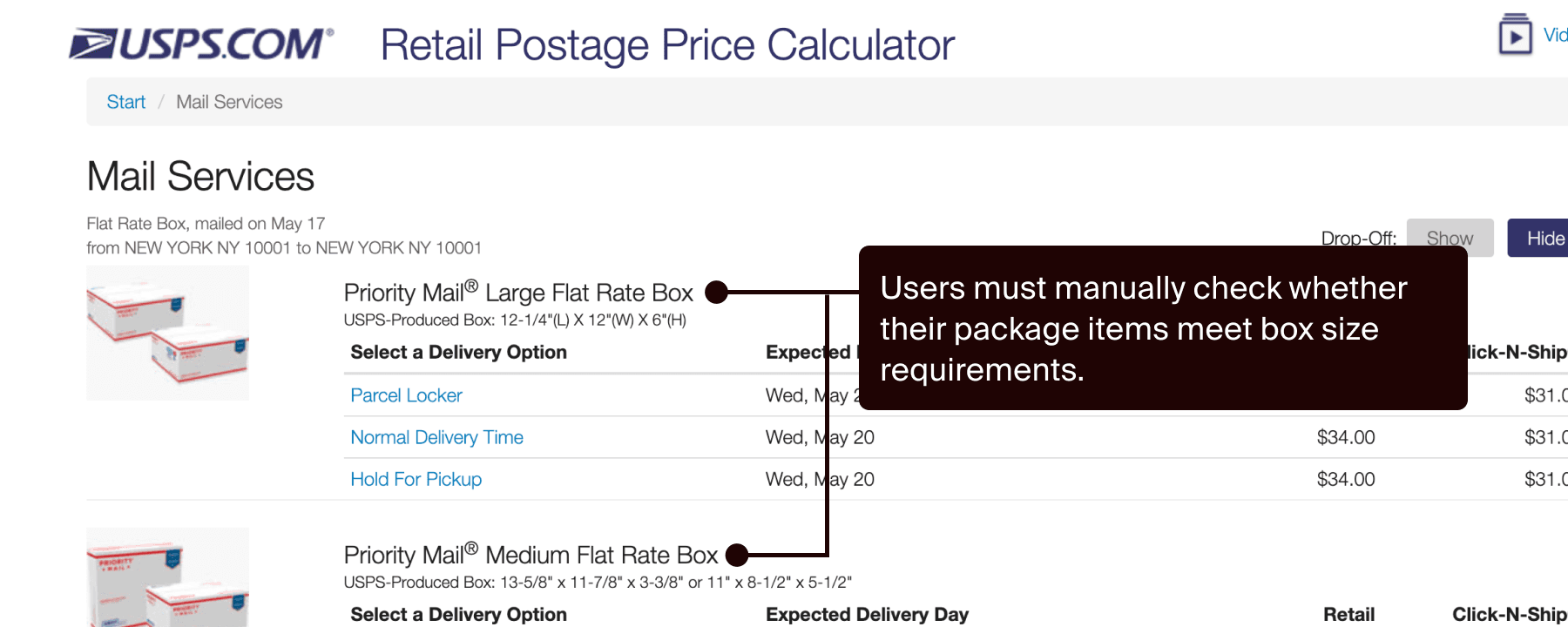
USPS offers many mailing services with complex pricing and package requirements, yet the current cost estimation flow assumes users already understand USPS services before they can identify suitable options and compare shipping costs.
USPS offers Flat Rate and Priority Mail with different pricing structures, where the cheapest option depends on factors such as package size, weight, and destination.
The cost estimation flow relies on USPS service terminology without clear explanations, making it difficult for unfamiliar users to navigate.
Solution
This chatbot helps users find the best mailing option in a natural, easy, and personalized way, just like speaking with a real USPS staff member at the post office.
Why Chatbot?
I saw an opportunity to leverage a chatbot experience to improve the USPS mailing estimation flow because conversational UI offers unique strengths that can solve the problem.
The chatbot can adapt to unique package requirements.
The chatbot uses in less-overwhelming plain language
USPS is rooted in in-person services, so conversations feel familiar.
Design Process & Decisions
My goal was to create a chatbot that helps users understand, compare, and find suitable USPS mailing services for their package needs while estimating shipping costs. I started by defining the bot’s personality, drawing from the experience of USPS physical office services to create a consistent interaction.
Use simple language, listen to the users needs, and show relevant information
Helpful, and straightforward
Efficient, easy, and personalized
Low
High
The bot should listen to the users needs like a person but doesn’t need to build a long-term relationship.
Casual
Formal
As an everyday service, the bot does not need to be formal but as a public service, it should avoid being overly casual.
Excited
Calm
The bot should remain calm, just like real staff members.
Then, I defined the flow of the conversation, sample scenarios, intent training data, and sample scripts, then prototyped the chatbot using Voiceflow, a no-code platform for building chatbots.
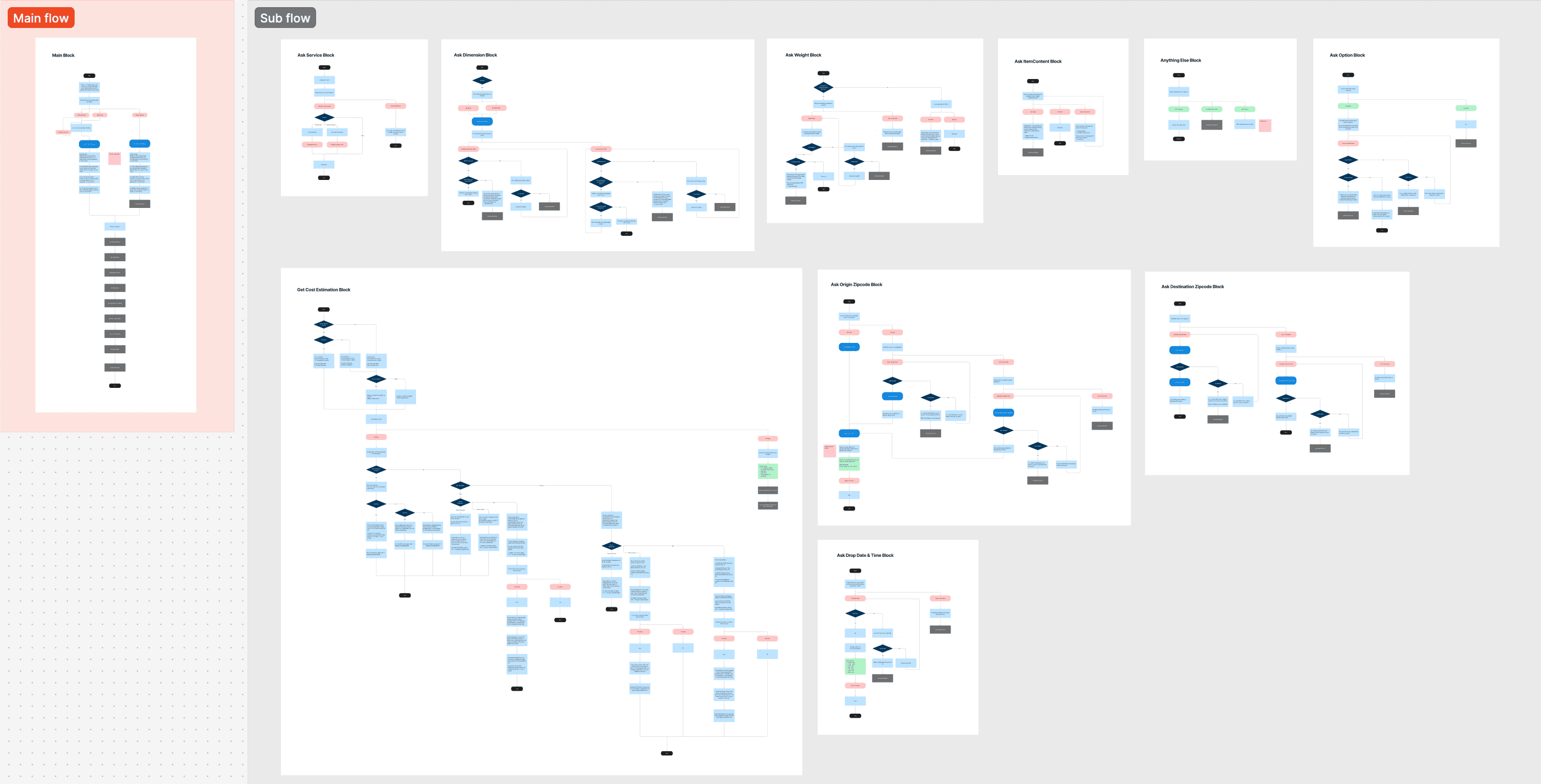
Flowchart
View in FigmaAs someone from an engineering background, I knew how important it is to handle errors and edge cases. I intentionally designed the chatbot to be robust and flexible.
I designed the chatbot to inplicitly confirm the zipcode is input corectly by adding the city name corresponding to the input value. ("OK, you are mailing to 98109 Seattle, WA") Also, if no zipcode corresponding to the input value is found, the bot asks users to try again asking the addres instead.
I designed the chatbot to explain that the limitation and ask users to check the detail by providing the link to the service requirement page.
Testing & Iteration
I tested the chatbot prototype with participants who had varying levels of familiarity with USPS. Participants were also asked to complete the same task using the existing GUI for comparison.
Insights
The bot conveyed its intended personality, but users misunderstood its capabilities as only price calculation rather than recommendation and comparison, lowering satisfaction and perceived value.
3.16
The bot received mixed feedback, those who rated lower misunderstood the bot just calculate the price and thought it's not worth the time.
100 %
The bot was described as professional and straightforward, which is aligned with my intention.
4.3 min
The bot did not reduce time compared to GUI. This is expected as I prioritized the understanding of the most suitable option.
Improvements
1. Explain what the bot can do
I clarified the bot’s capabilities so users could better understand how the chatbot can help.
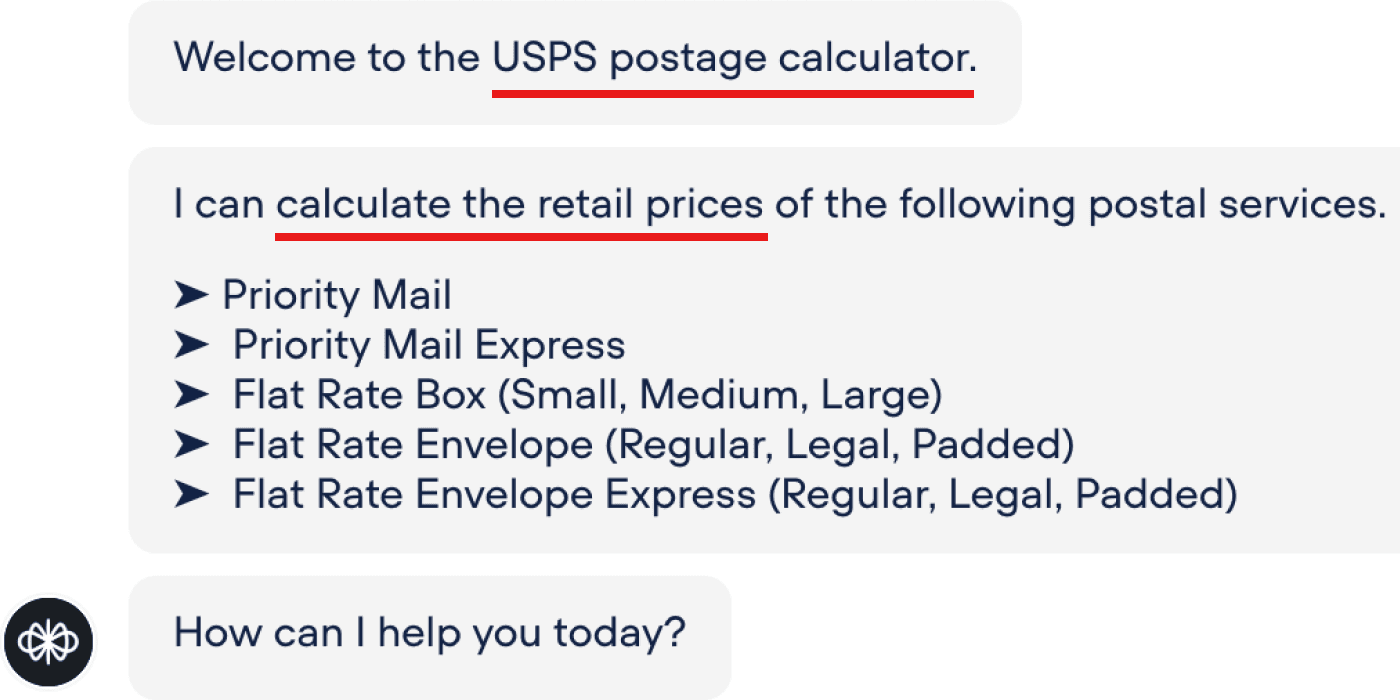
The bot name "calculator" gave the impression that it was a simple calculator that is not worth using over GUI.
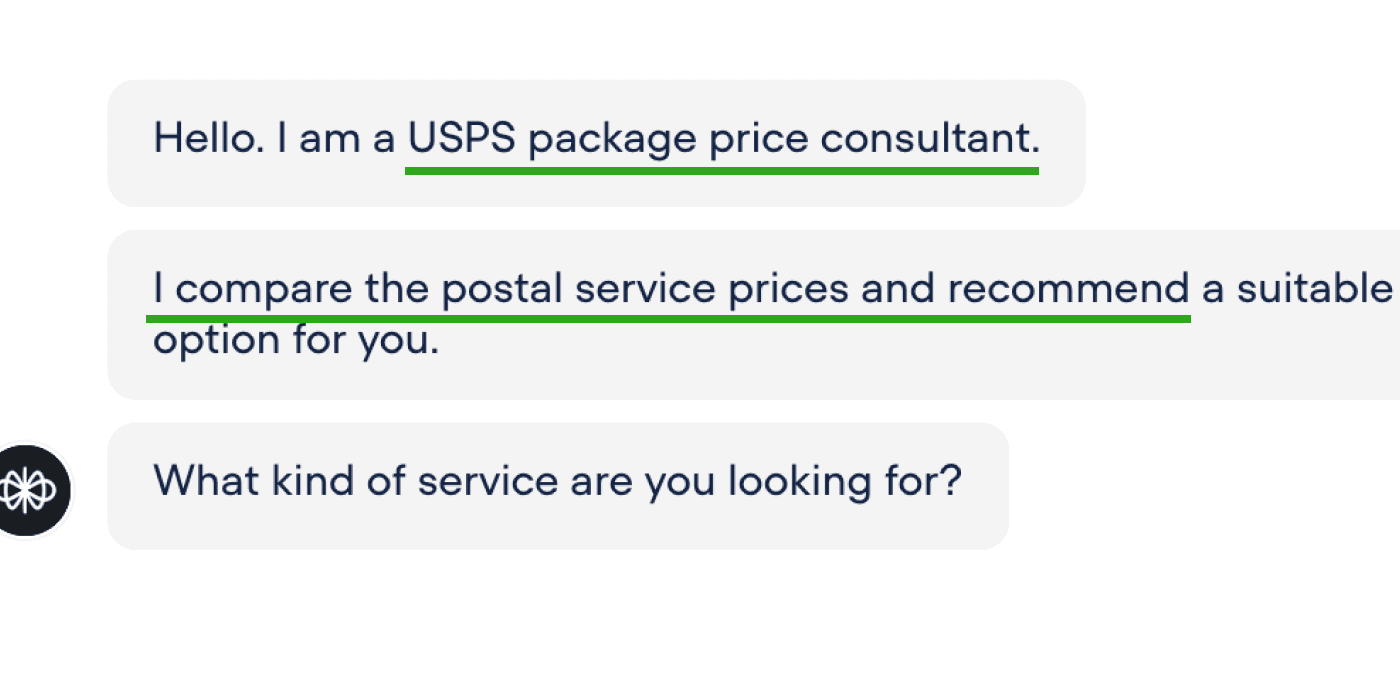
I renamed as "consultant" and mentioned its service comparison & recommendation features.
2. Add guidance on drop-off post office
Many users mentioned they wanted more exptended guidance on the drop-off, such as the office location and hours as well.
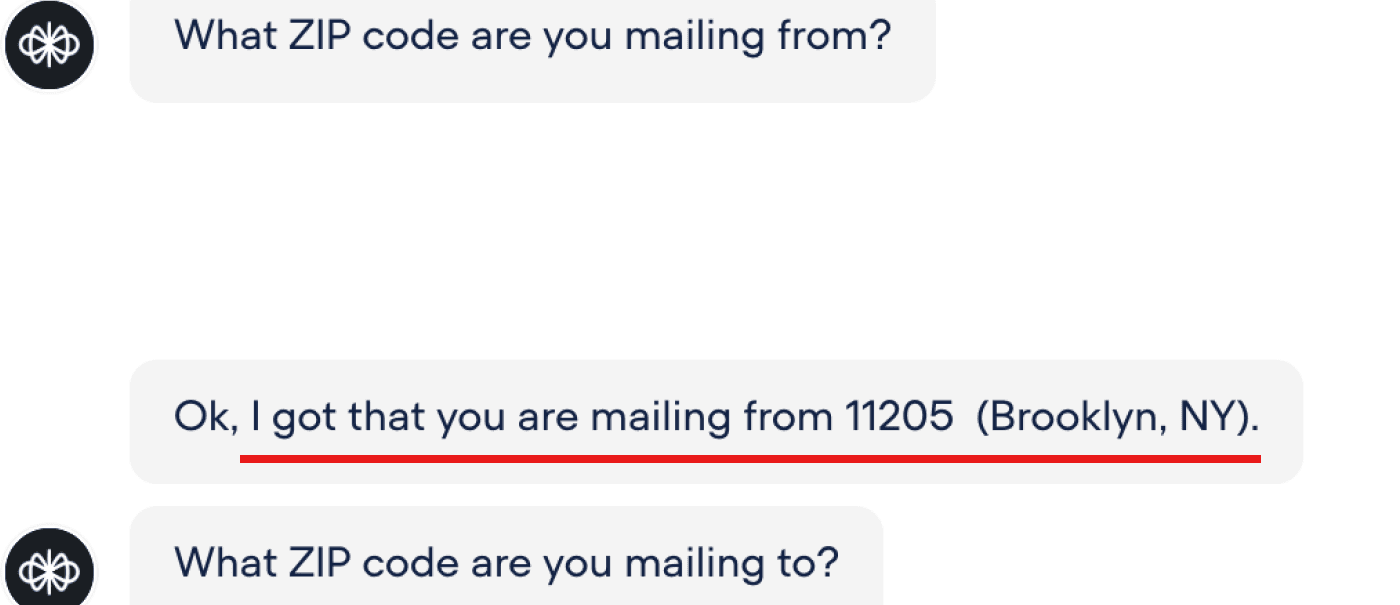
The bot only asks for the origin ZIP code and does not provide further information about nearby post offices.
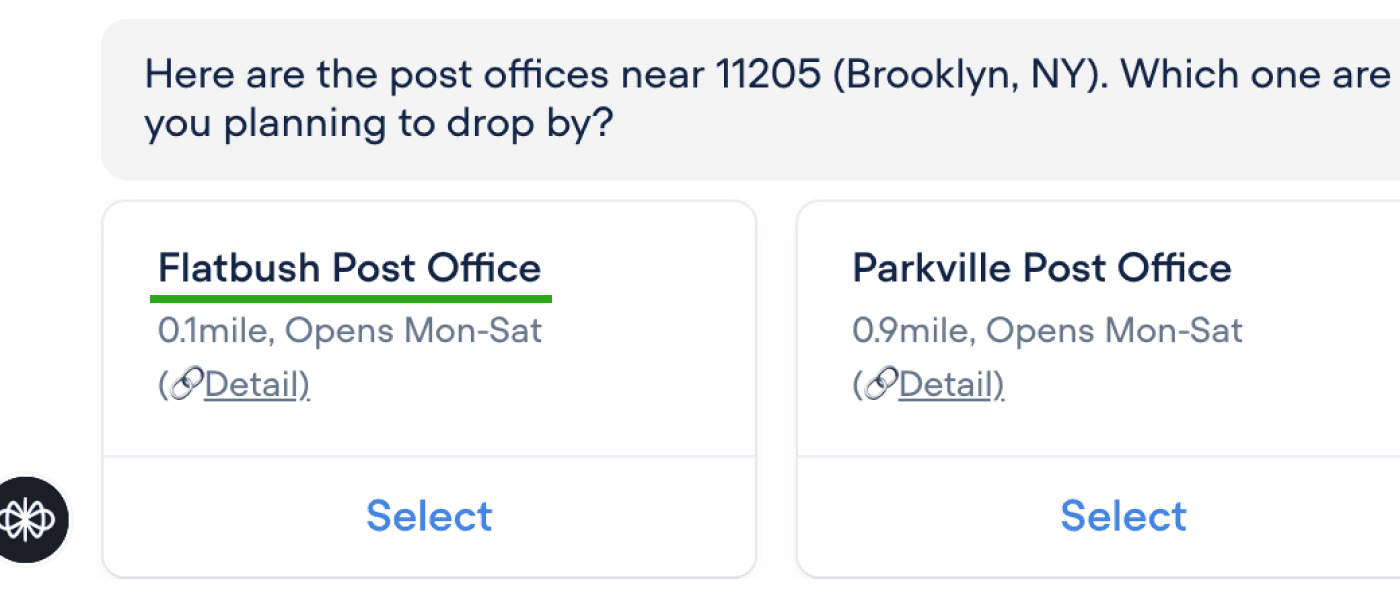
I improve the bot to show nearby office locations and hours based on the users's current location.
3. Allow 3 dimensions input at once
The bot, by default, asked for width, height, and length one by one, but all testers preferred entering all dimensions at once.
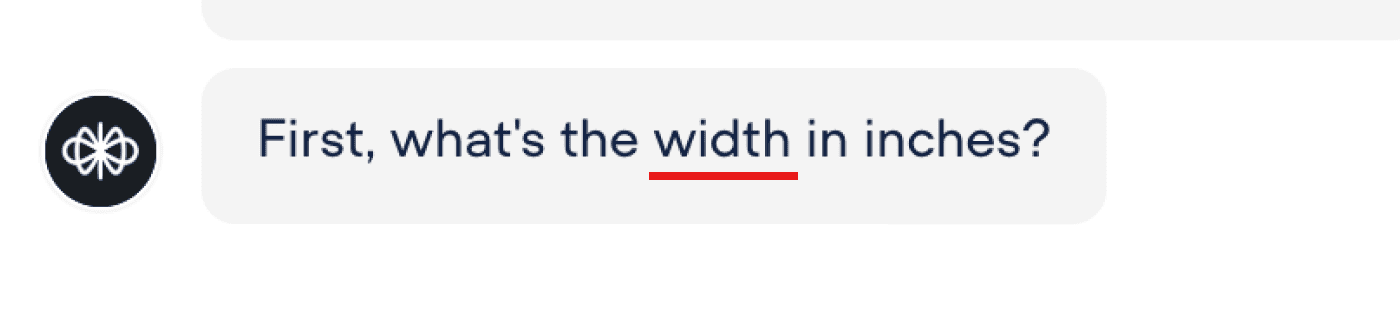
By default, the bot asked for width, height, and length one by one.
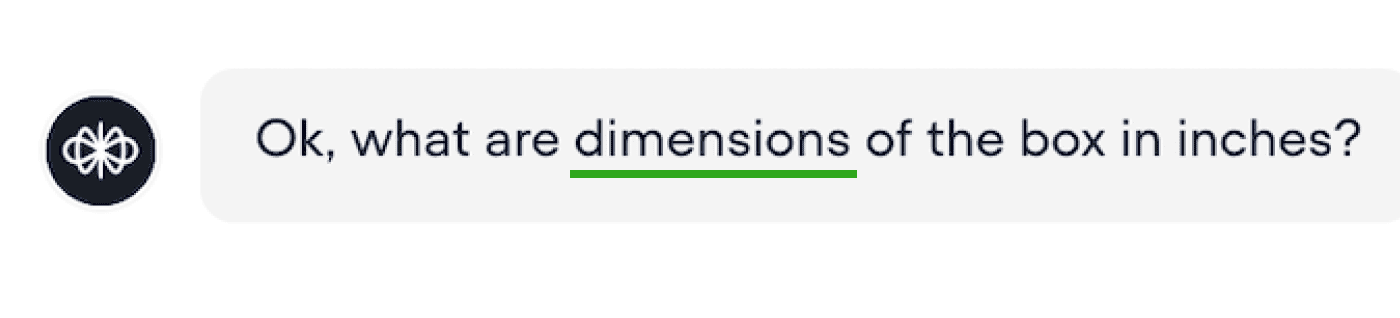
The bot requests all dimensions in a single input. If users reply only one dimention, the bot asks the rest.
Final Design
Explain Bot's Capabilities
The bot explains whet it does at the beginning.
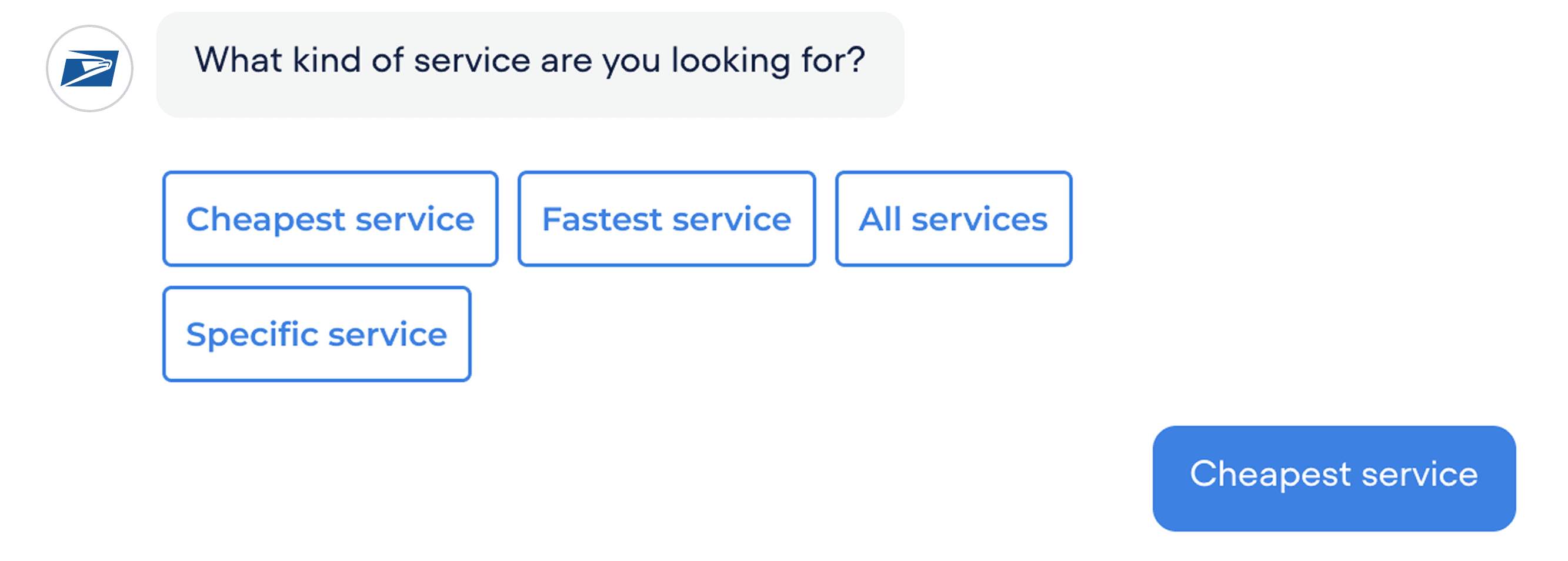
Ask about Preference
It lists common mailing preferences. The buttons are used for efficiency, without requiring users to type everything on their own.
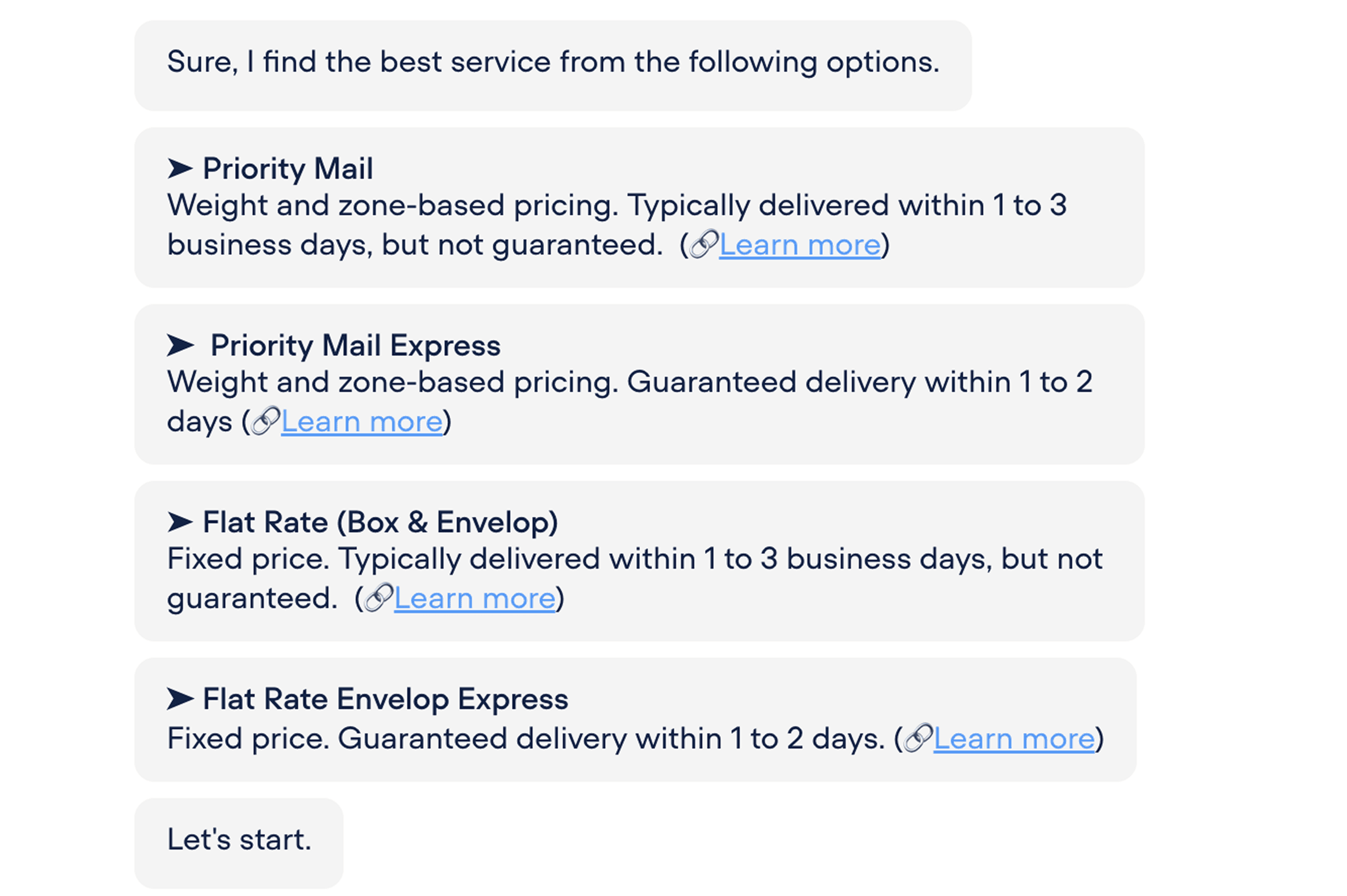
Explain Services
The overview of services helps users understand the context and importance of comparison. To keep it concise, I made the text brief and included a link for users who want to see the details.
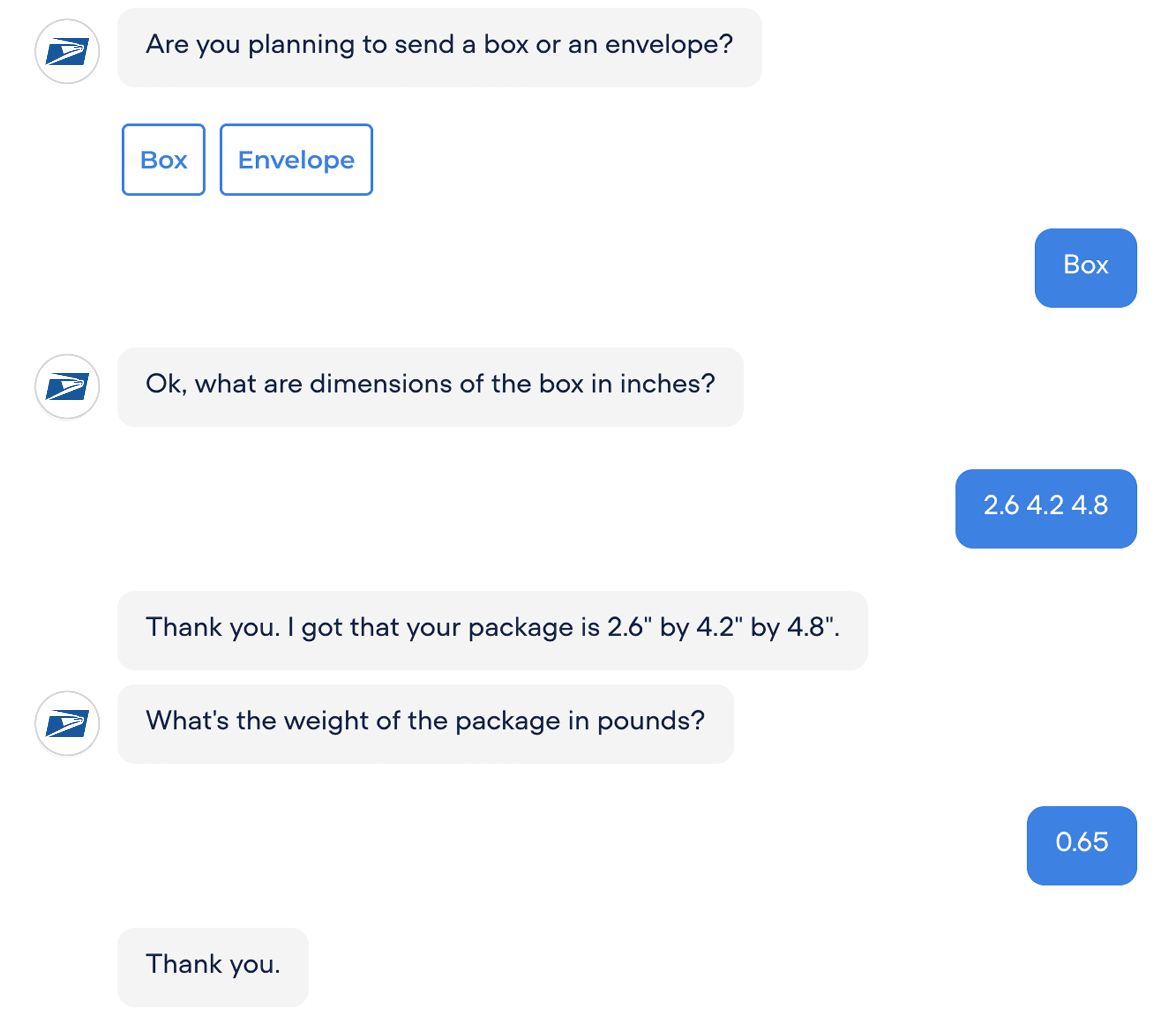
Check Dimension & Weight
The bot specifies units to prevent confusion about the required format. Users can provide all dimensions at once.
If they provide only one dimension, the bot adapts by prompting for the remaining dimensions separately.
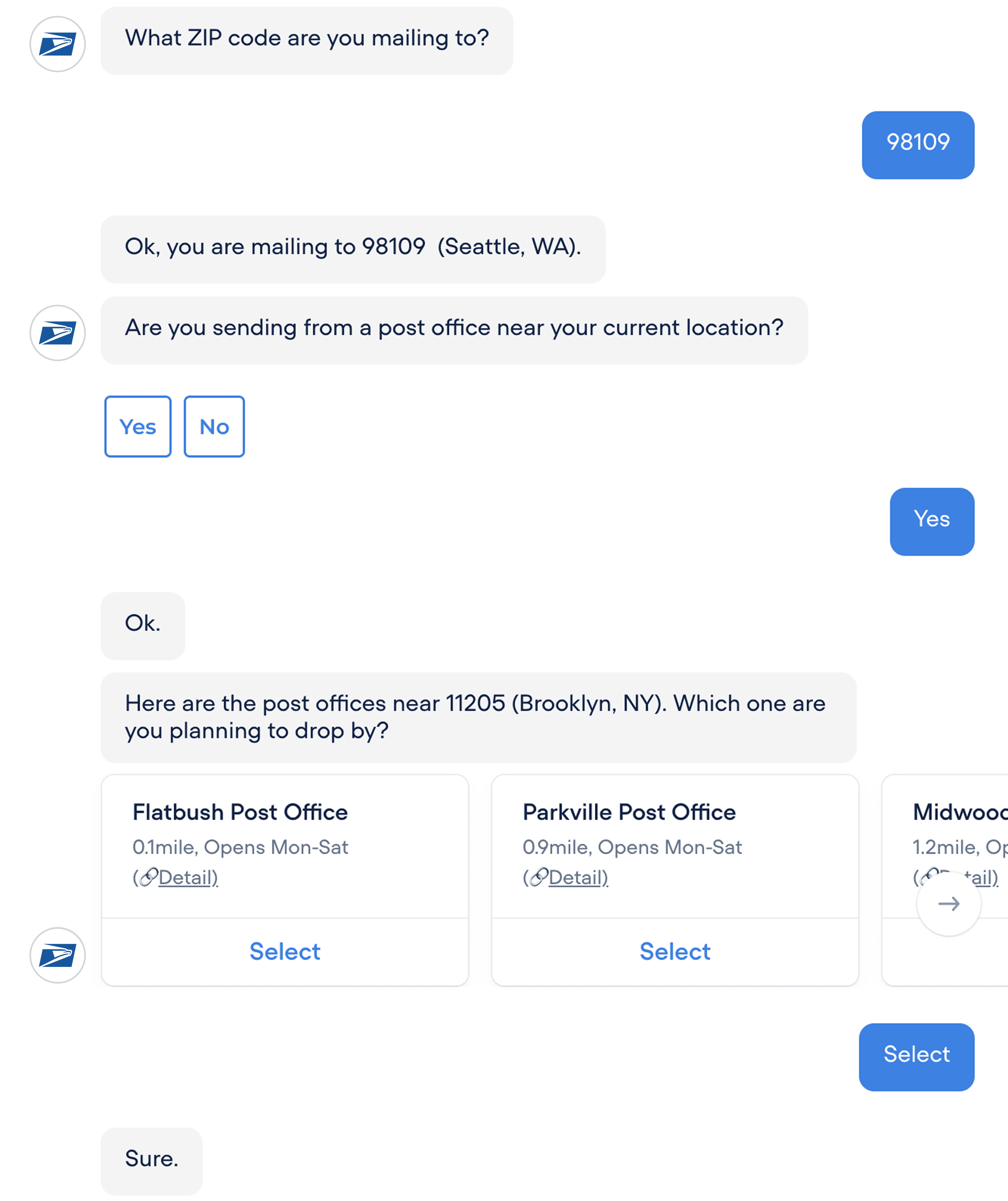
Check Destination & Origin
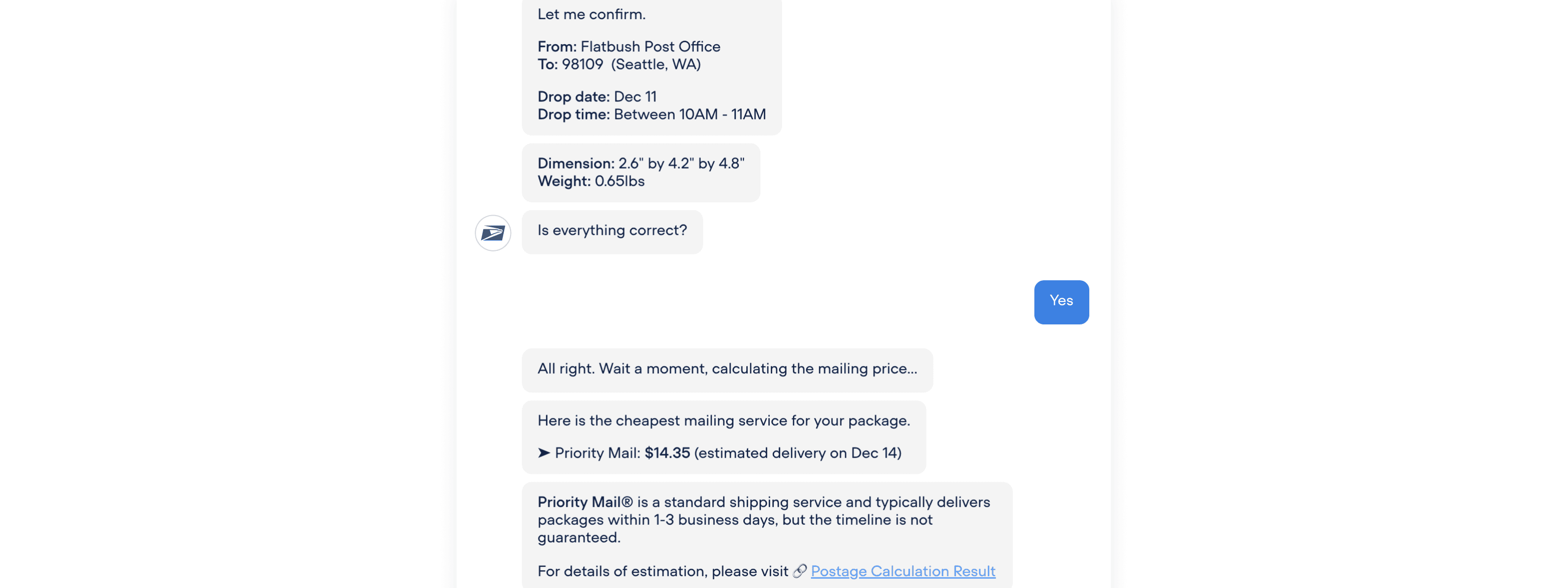
To implicitly confirm whether users entered the correct destination ZIP code, the bot returns the corresponding city and state, for example, 98109 (Seattle, WA).
If the ZIP code is incorrect or users forgot it, the bot prompts them to provide their address instead.
Then, the bot asks whether users are sending from their current location. If yes, it fetches their current location. Otherwise, it prompts them to enter the origin ZIP code.
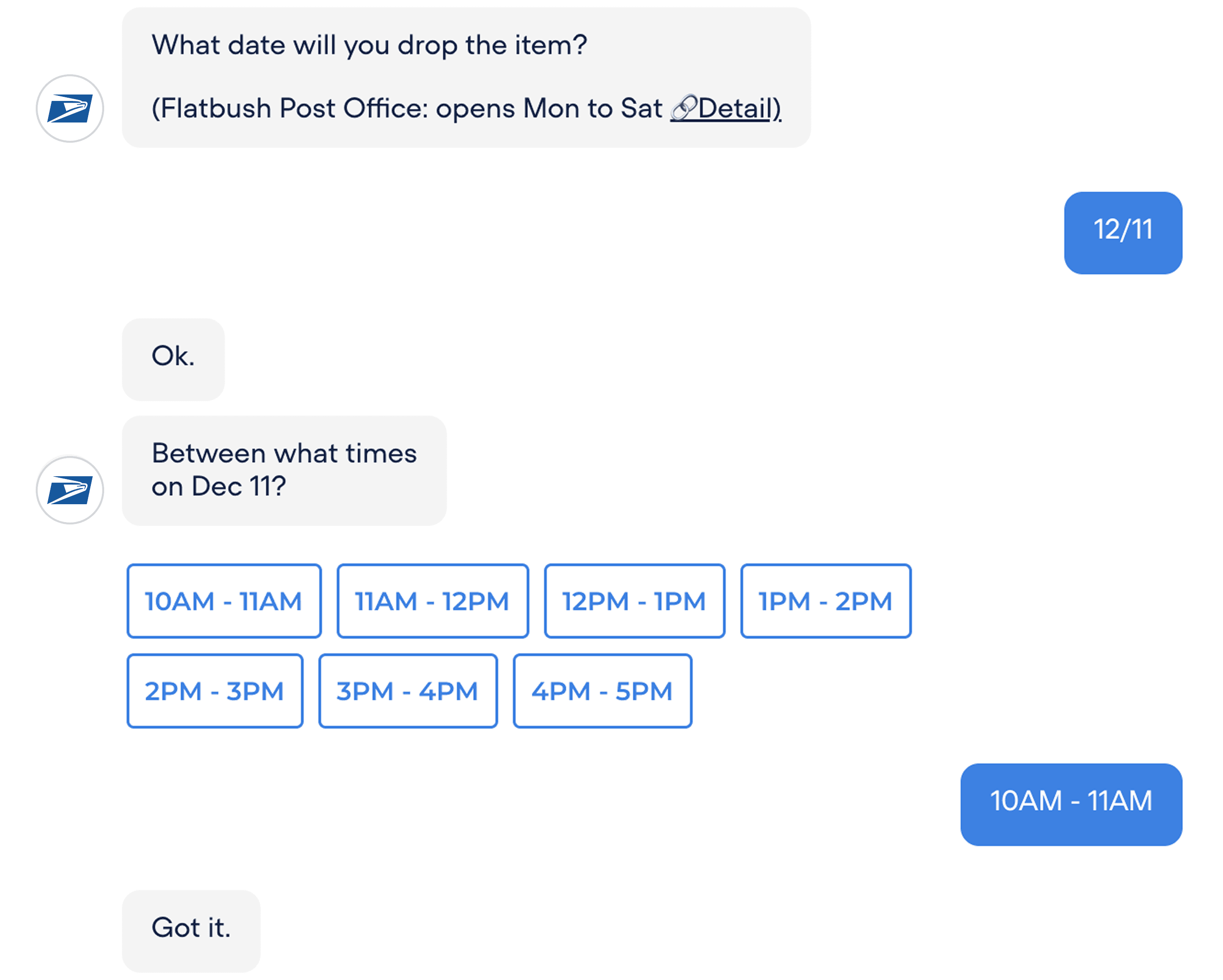
Check Drop Date & Time
The bot asks for the drop-off date and time. Ideally, I wanted to implement a calendar input field. However, due to Voiceflow's limitations, I used a standard chat input.
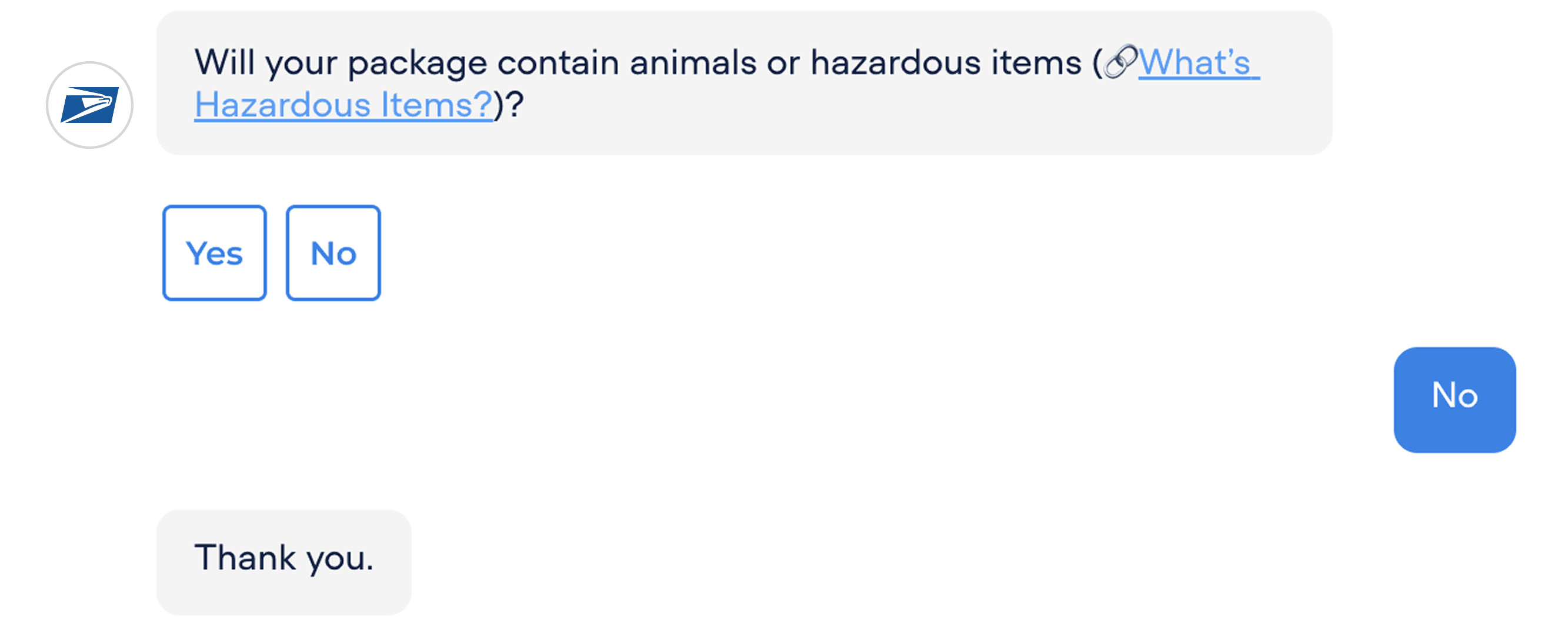
Check Exceptional Items
This question confirms that the package does not contain any exceptional items.
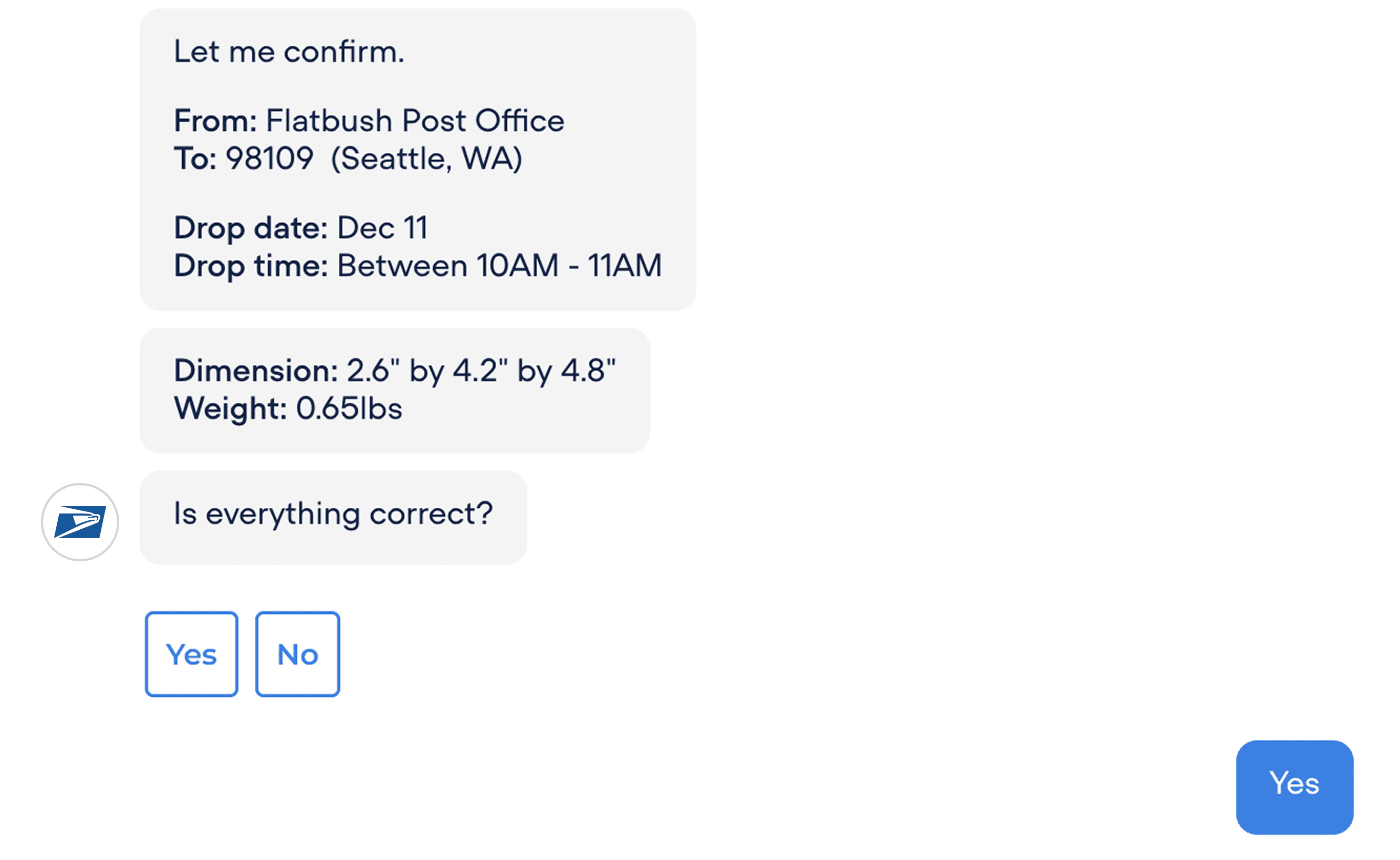
Confirm
I tried to make this confirmation concise. If there is a mistake, the bot asks which item needs to be corrected and redirects the user to the corresponding question.
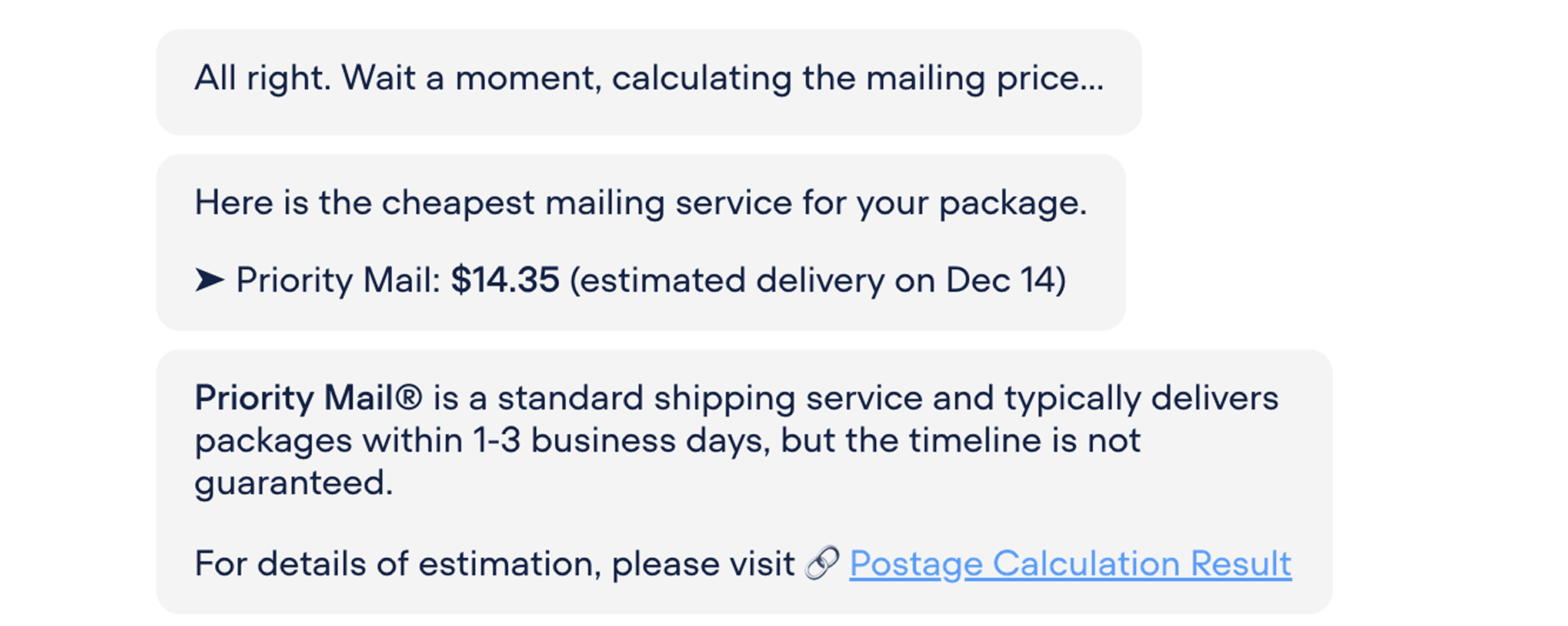
Price Estimate and Recommendation
In this conversation, the cheapest option is shared because that is the user's preference. Users can also view the full details through the provided link.
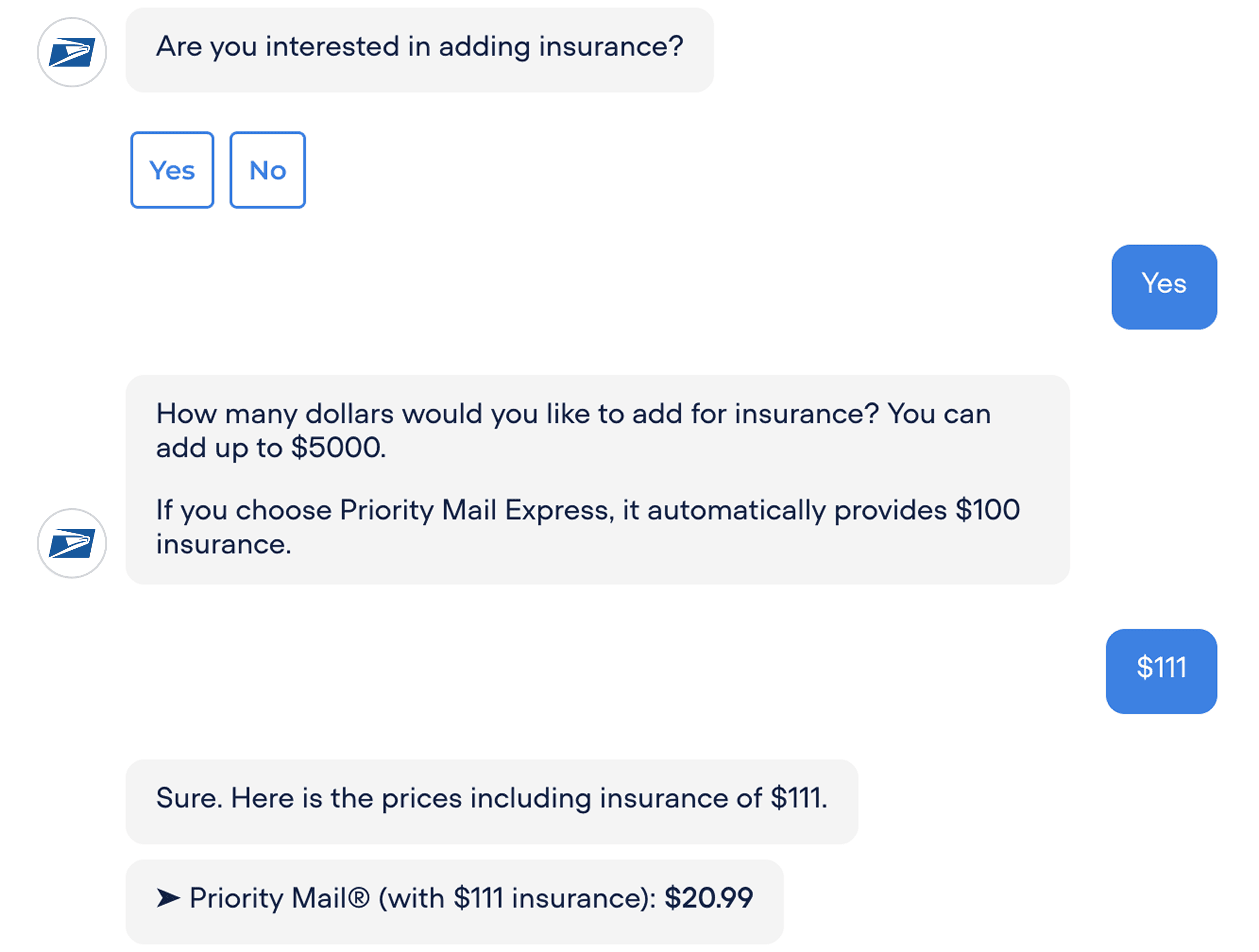
Ask about Additional Options
During testing, some participants expressed interest in learning about additional options such as insurance. That's why the bot includes this.
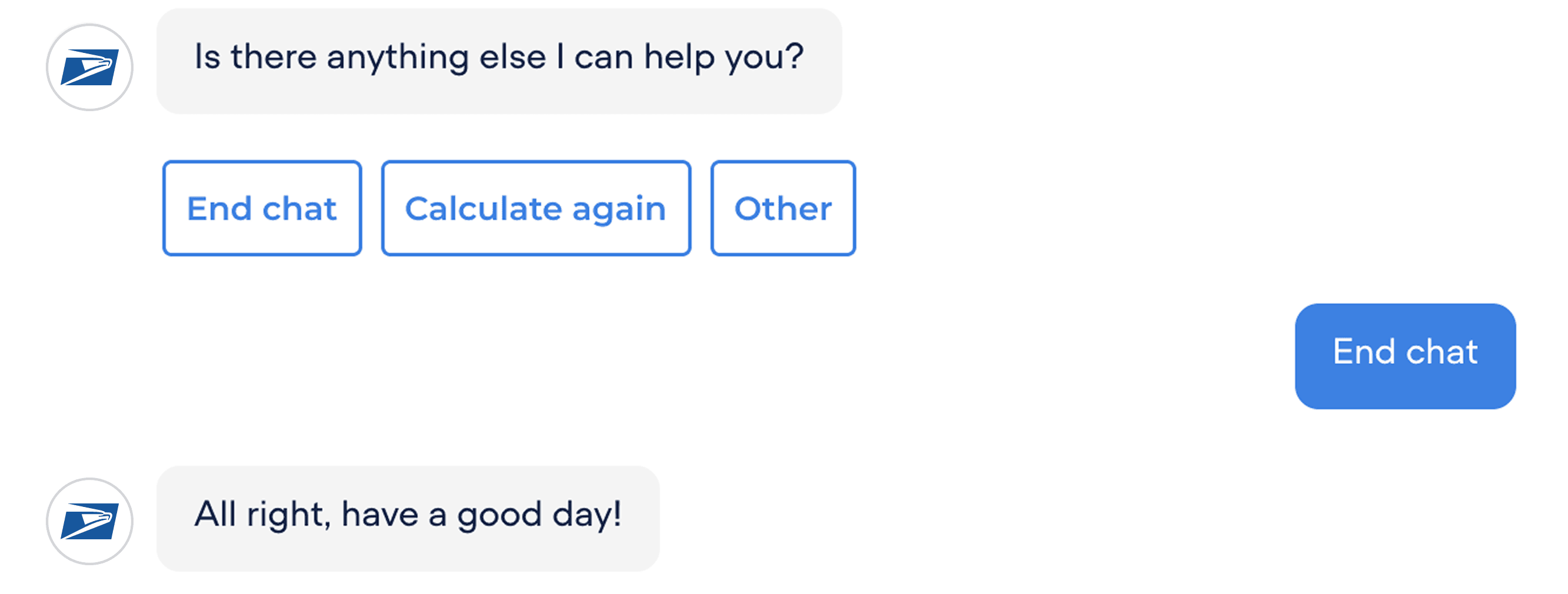
End Conversation
Reflection
It was interesting to see that user testing revealed diverse preferences between chatbot and GUI interactions. Some users preferred GUI, while others preferred chatbots. This highlighted the importance of offering both options to accommodate different user needs and leverage the strengths of each interaction style to complement one another.