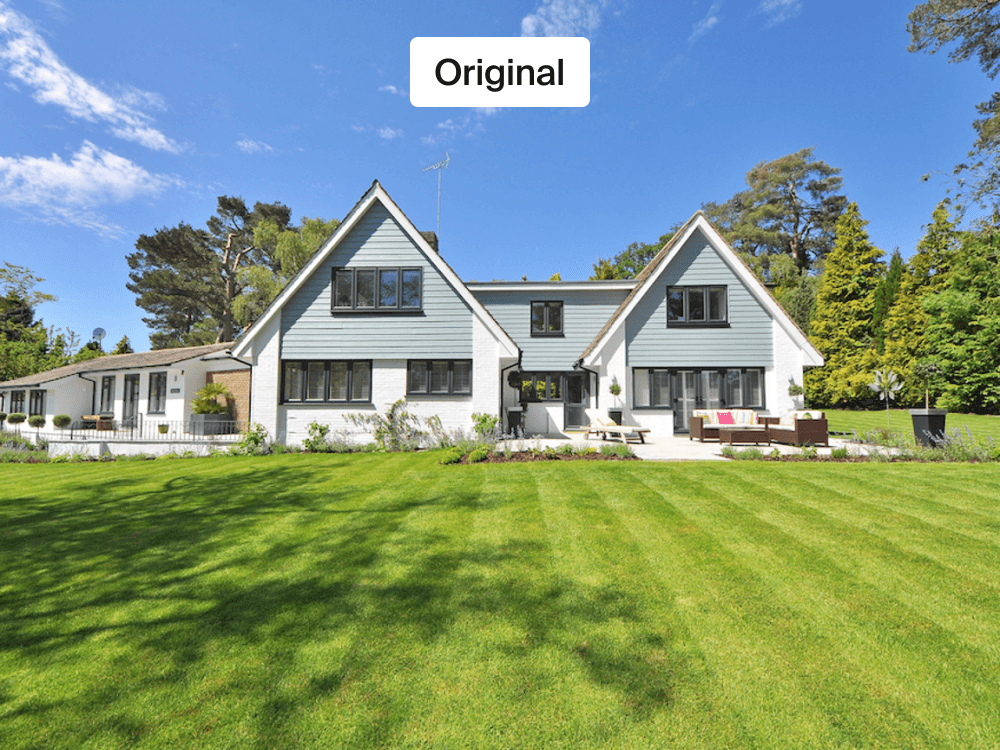
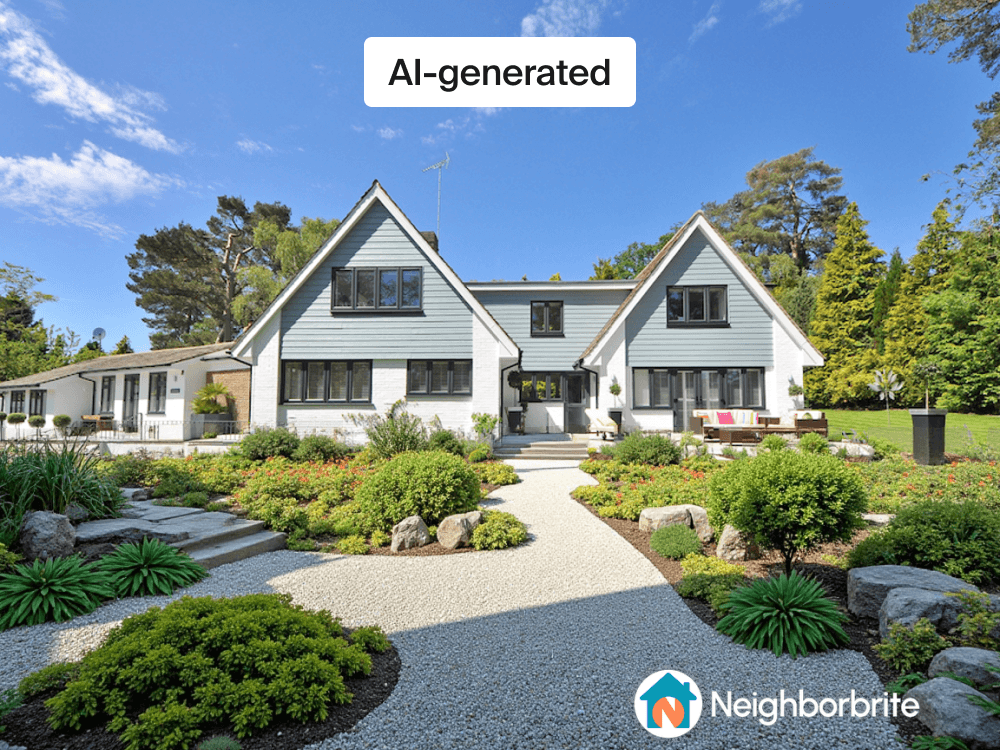
Neighborbrite is a startup offering an AI-powered landscaping tool that generates landscape design inspiration from users' backyard photos. The company was just 4 months after launch when the team sought our help.
Helping users confidently understand and direct AI based on real user research
Client
Neighborbrite is a startup offering an AI-powered landscaping tool that generates landscape design inspiration from users' backyard photos. The company was just 4 months after launch when the team sought our help.
Problem
The CEO wanted to encourage usage of the customization feature, which is a part of the paid plan, and was curious about how it’s perceived.
The CEO expressed a desire to reduce the drop-off rate, which was around 30% at the time.
Goal
Research
I conducted user testing with homeowners to understand how they interact with and perceive the features.
I adopted a moderated remote user testing to observe user behavior and ask follow up questions.
Created realistic scenario & tasks spanning both free and paid features.
I prioritized mobile testing as it's where most traffic comes from.
8 homeowners with interest in landscaping, recruited through personal network.
Insights
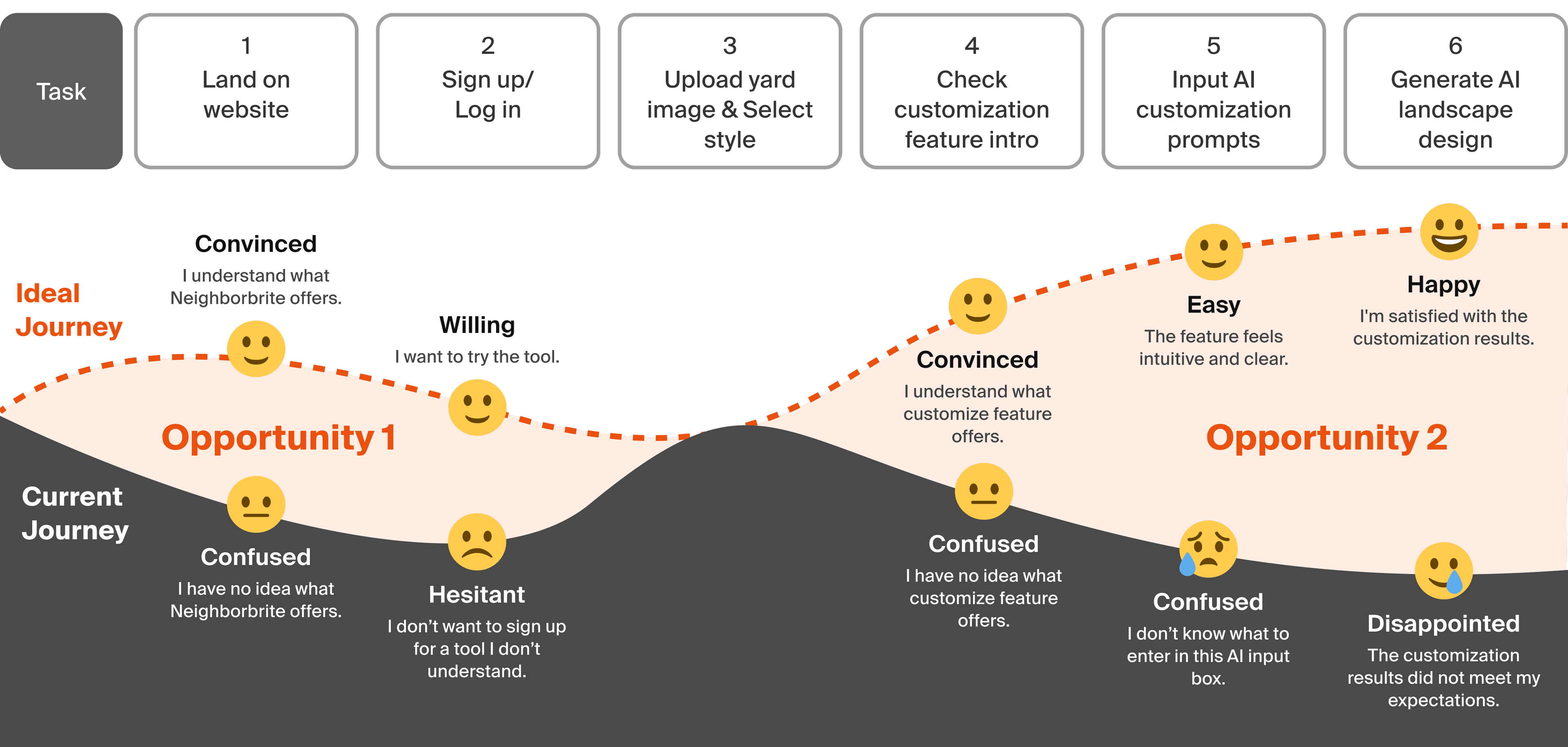
Requiring sign-up upfront caused hesitation, as users didn’t fully understand how the feature worked. The demo video on the landing page was often overlooked, as it was placed far down the page.
I don't want to provide my email because I don't trust the website.
Clarify what the product offers.
The customization feature relied on free text input to specify elements to add or avoid, but provided little guidance on supported inputs or expected formats. As a result, users often entered requests beyond the system's capabilities, leading to unexpected outputs, confusion, and lower satisfaction.
The app should not let me input items if it can't execute it properly.
Improve customization guidance and set clearer expectations.
Solution
For these relatively simple requests for elements to add or avoid, many users expected a more structured way to specify preferences. Instead of relying solely on free text, I explored options to communicate supported inputs, reduce uncertainty, and make customization faster and easier.
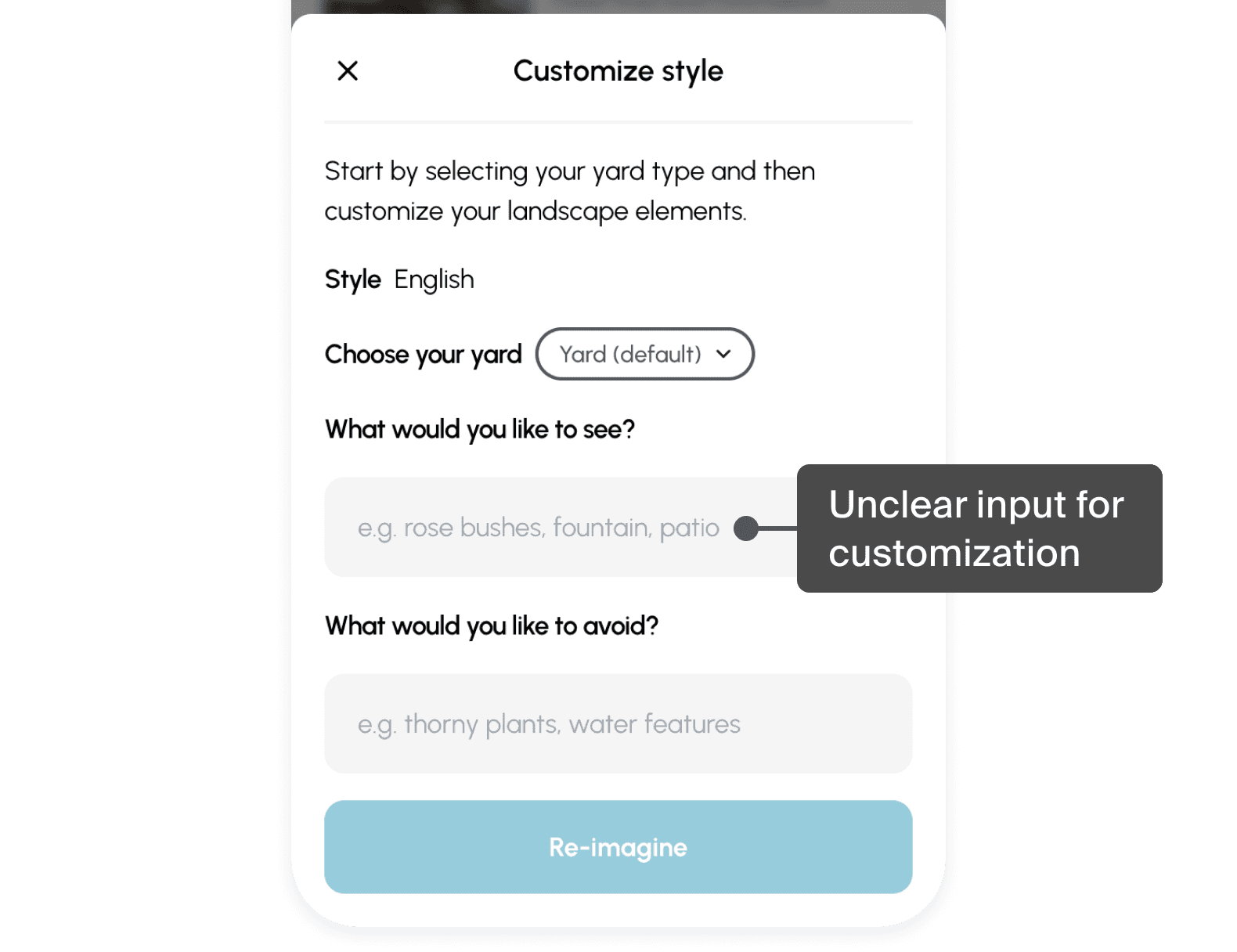
The small free-text field did not match users' expectations or clearly communicate what to enter.
I explored 2 solutions: (1) Checkboxes, which combine predefined selections for popular elements with free text for custom requests, and (2) Suggestions, which surface examples and popular elements as users type. I proposed the checkbox approach because it more clearly communicates available customization options, creates a more structured experience, and helps set appropriate expectations for AI outputs.
Show structured options + optional free text
Easy to grasp popular elements
May discourage custom inputs
Show common elements as users type.
Integrates examples more naturally into the input
User needs to type a word to see an example.
Also, to address sign up hesitation for the free plan, I recommended delaying login or account creation until just before design generation, or only when credentials were required. This would allow users to explore the product first and build confidence before committing to sign up.

Impact
I delivered design recommendations with mockups and a comprehensive report on schedule. The client responded positively to the outcome. The insights and proposals influenced the roadmap and supported the product growth.
This is extremely useful. This is exactly what I was hoping to see!
Luis, CEO of Neighborbrite
Next Steps
As external UX consultants, we were unable to measure the impact of these recommendations. If I were part of the team, I would use the following metrics to evaluate success.
To measure whether users engage with the AI customization feature.
To measure whether the redesign reduces confusion and improves the effectiveness and efficiency of customization tasks.
To measure whether the redesign increases user confidence and satisfaction with the AI experience.
To measure whether the redesign encourages more users to create an account.
Further Exploration
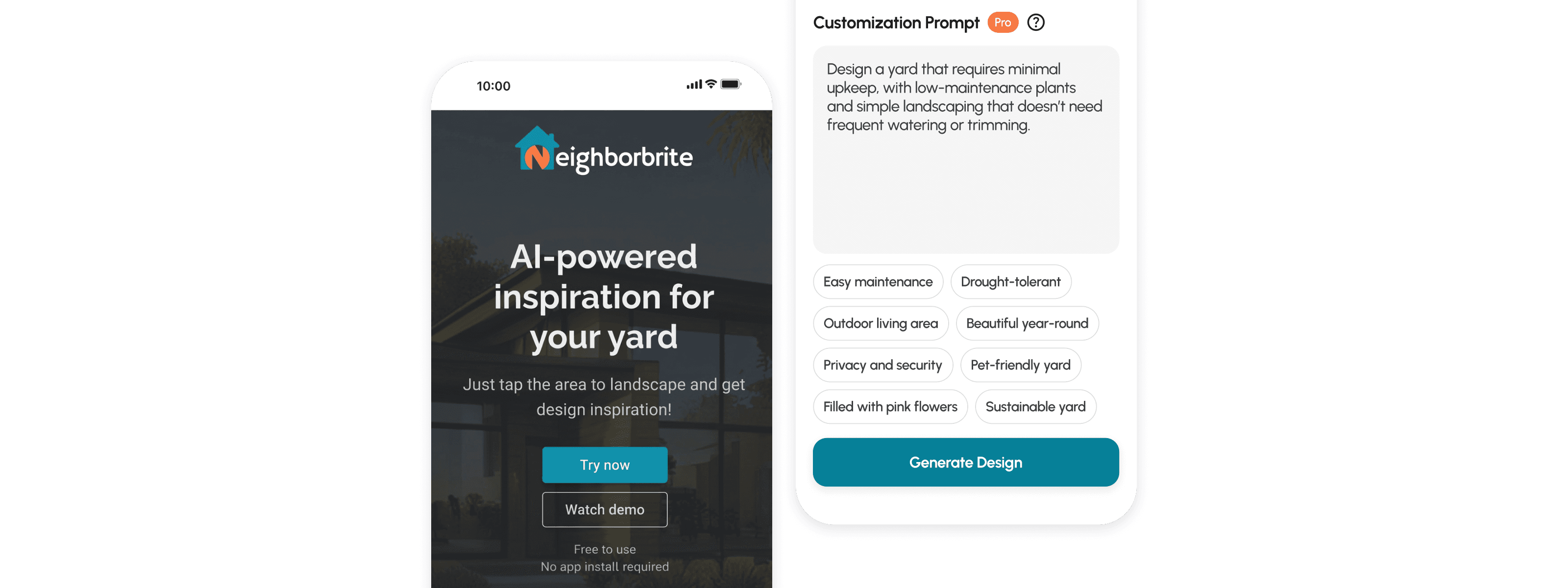
The existing customization focused on adding or avoiding specific elements. However, users often expressed broader goals such as 'low maintenance' or 'suitable for dry climates'. Given AI's ability to interpret flexible inputs, supporting these higher level needs through prompts may better align with how users naturally think about their yards.
By surfacing common requests as starting points, users could quickly insert, append, or replace prompts while retaining the flexibility of free text input.
Takeaways
While text prompts offer flexibility, this research revealed that users do not always know what to enter or what the AI is capable of. Without clear guidance, it becomes difficult to set appropriate expectations and build trust. Designing effective AI experiences requires more than a prompt field. It requires helping users understand, direct, and collaborate with AI effectively.